About the RuStore platform
What is RuStore?
RuStore is the official Russian mobile app store for Android, HarmonyOS and Aurora OS.
Which devices does RuStore run on?
RuStore runs on smartphones, tablets and TVs with Android 8.0 or higher, as well as on in-car infotainment systems. Devices running Harmony OS 3 are also supported.
What benefits and features does RuStore offer?
- A wide selection of apps: 110,000 apps and games from developers in 70 countries, including banking services, government apps and games.
Browse the app catalog
Browse the game catalog
- Security: every app in RuStore passes a two-stage security check — an automated scan by Kaspersky systems and manual moderation. More about security in RuStore
- Reliable access: RuStore guarantees access to apps and their updates regardless of external changes. More about how apps are checked before publication
- Ease of use: a convenient interface and simple navigation. More about what RuStore can do
Once you install RuStore, you get access to a wide selection of apps, many of which may be unavailable in other stores because of regional restrictions. This matters for receiving updates and support for Russian services, so that the apps you rely on keep working without interruption.
Which apps are available in RuStore?
RuStore offers apps across a range of categories:
- Finance: banking apps, payment services.
- Shopping: online stores, marketplaces.
- Entertainment: streaming services, games, social networks.
- Education: learning tools, office apps.
- Games.
Browse the full app catalog in RuStore.
What's new in the RuStore app?
We update RuStore constantly to make it even more convenient for you. Our team improves the security systems, adds new apps and categories, and refines the interface for a smoother experience. We write about these changes in more detail on our blog.
Security and privacy of user data in RuStore
RuStore pays particular attention to user security and privacy. All apps published in the store go through a multi-stage check for malware and compliance with security requirements.
How security works in RuStore
-
Developer verification: before publishing an app, developers complete registration with identity confirmation using a qualified electronic signature or remote verification.
-
Permissions review: apps are analyzed for the permissions they request, to make sure they only ask for the access they actually need to work.
-
Antivirus scanning: a Kaspersky security system is used to detect malicious code and prevent it from spreading.
-
Manual moderation: after the automated checks, apps go through manual moderation, where specialists verify that they meet the requirements and contain no unwanted content.
When you install the app from the official RuStore website, you take no risk. The app is completely safe for any Android device. More about how we keep RuStore secure.
Scam sites and other kinds of online fraud
Fraudulent websites imitating RuStore, with similar addresses, may appear online. It's important to stay alert and download the app only from the official RuStore website. More about the schemes criminals use and how to protect yourself against them.
RuStore features and how to use them
How do I use the RuStore app?
RuStore is a simple, convenient app store for Android. Once it's installed, you can search for, download and update the apps you use every day. Find out how to install the RuStore app and set it up for comfortable use.
Where can I download the RuStore app?
The latest version of RuStore is available for download on the official RuStore website. The RuStore.apk file has been verified and is safe for your smartphone.
How do I install RuStore?
Installing RuStore is simple and won't take long — within a few minutes you'll be able to start using the app store. Find out how to download and install the app store on different devices, what to do if you run into problems, and how to get started with RuStore quickly.
How do I update RuStore?
When an update is available, the RuStore app will send you a notification suggesting that you update to the new version. If you missed the notification, you can update the app whenever it suits you. How do I update RuStore?
How do I sign up for RuStore?
Signing in to RuStore lets you get personalized recommendations and pay for items in paid apps. Find out how to sign in to RuStore.
How do I search for apps in RuStore?
Searching for apps in RuStore is easy: just enter the name or keywords in the search bar on the home page. RuStore also has a convenient category system that helps you quickly find the apps and services you need by topic or popularity. More about how to find an app in RuStore.
How do I delete apps from RuStore?
You can delete an app you installed earlier directly from RuStore. How to do it
Questions and answers
How did RuStore come about?
RuStore was created in response to the need for an official Russian app store for Android. Its development began in 2022 as a joint effort by VK and other major IT companies with the support of the Ministry of Digital Development of the Russian Federation. The goal behind RuStore is to give users safe and reliable access to apps and games, and to support Russian developers.
Who regulates RuStore?
RuStore is regulated by the Ministry of Digital Development, Communications and Mass Media of the Russian Federation (Mintsifry).
Where can I read reviews of RuStore?
You can find reviews of RuStore on our social media channels:
-
On the official RuStore website in Yandex Browser:
- Click the lock icon in the top left corner.
- In the window that opens, select Site reviews.
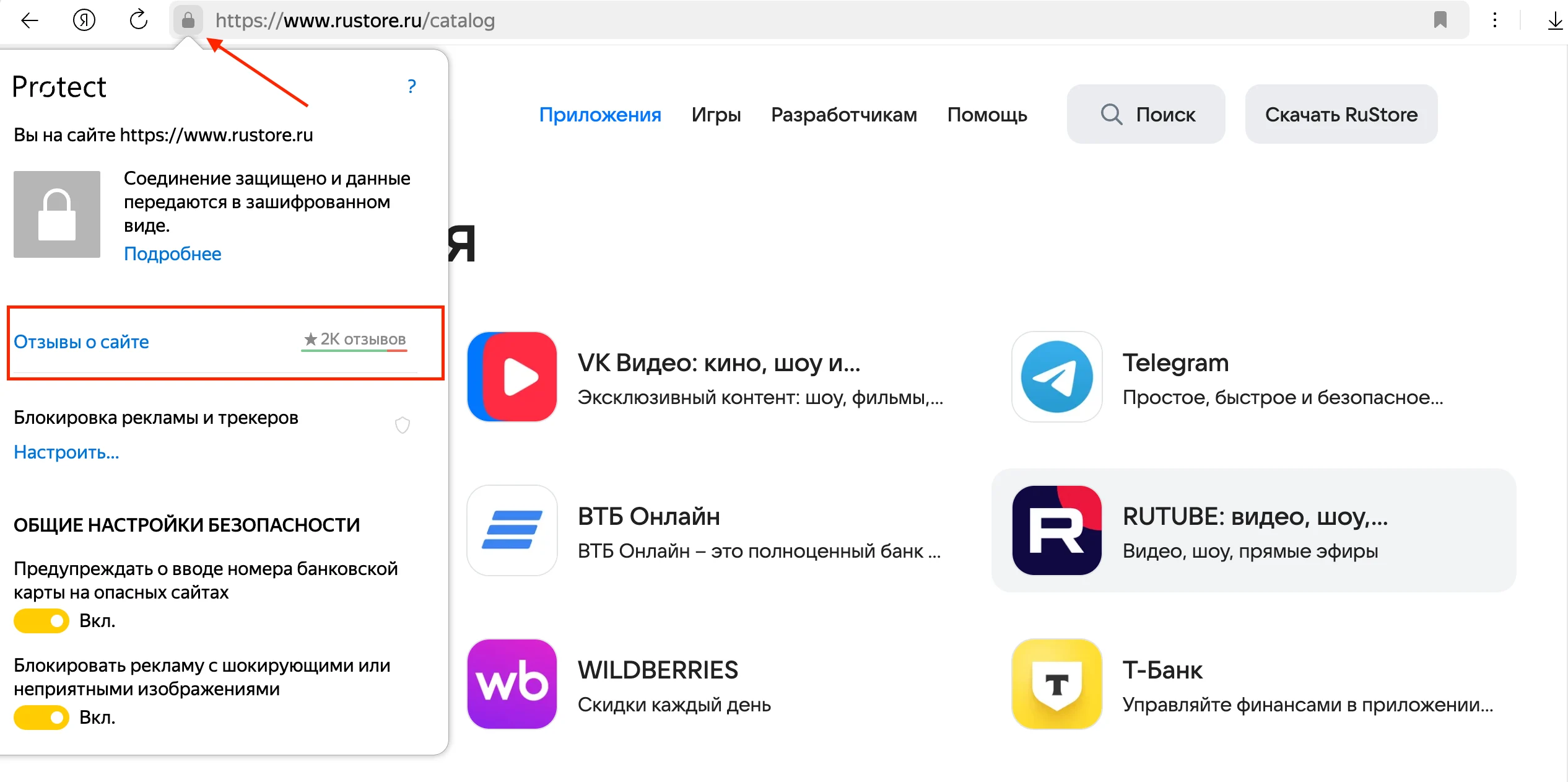
A page with user reviews will open.
How is RuStore different from other app stores?
RuStore gives you access to apps that may be unavailable in other stores because of regional restrictions. RuStore also pays particular attention to security and privacy, putting every app through a multi-stage check.
How do I suggest an app for RuStore?
To submit an app, fill in the Suggest an app form on the official RuStore website. To do this:
- Go to the official RuStore website.
- In the bottom left corner, click Suggest an app.
- Fill in the app details in the form that opens.
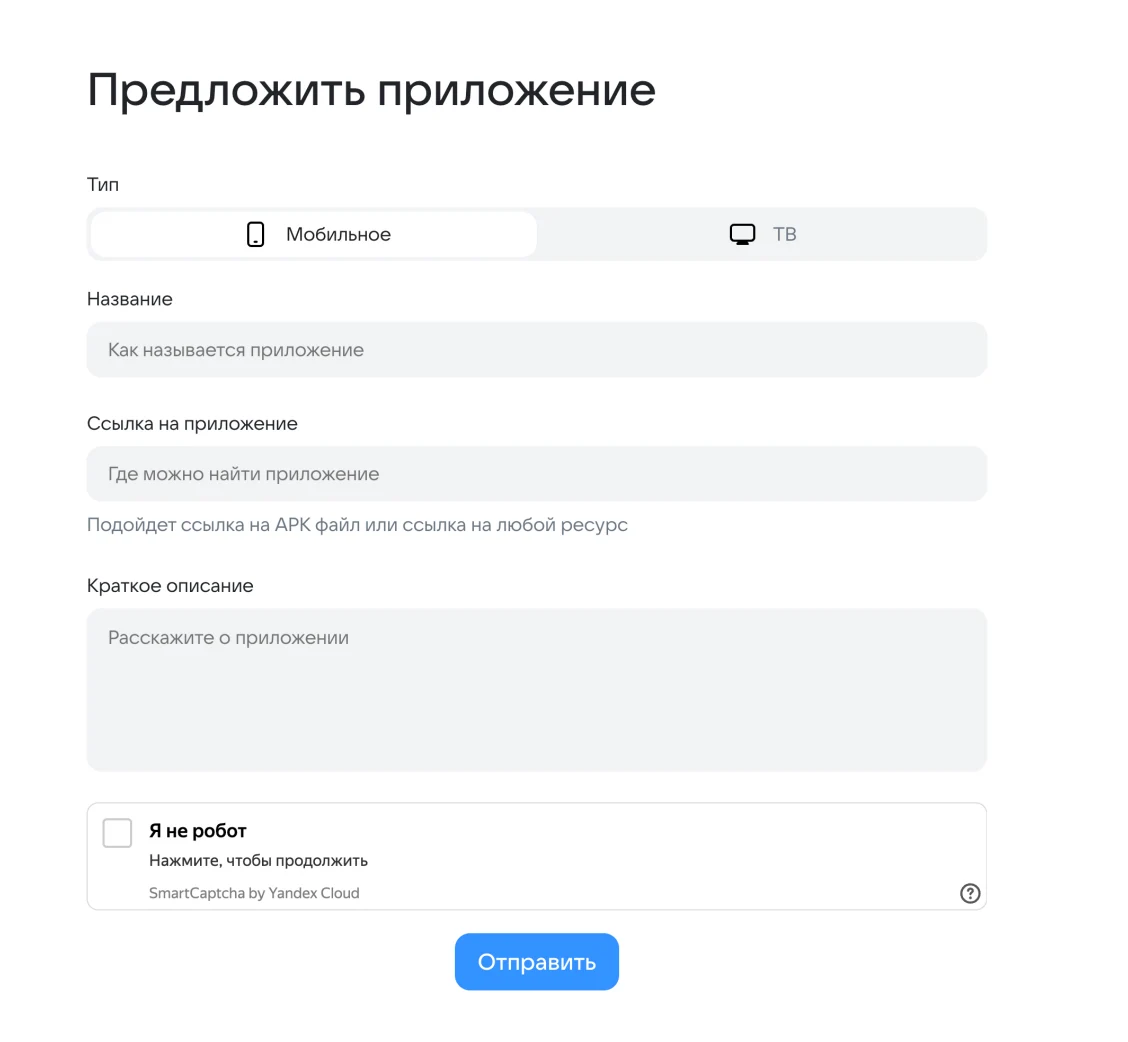
- Click Submit.
Your suggestion will be sent to the moderation team for review.
What does the RuStore icon look like?
The official RuStore logo looks like this:

What does the official RuStore website look like?
The only official RuStore website is rustore.ru.
Pay attention to the domain name and the digital certificate — you can check it by clicking the lock icon in the address bar. If you have opened the official RuStore website, the certificate will show the organization VK LLC.
What does the official RuStore app look like?
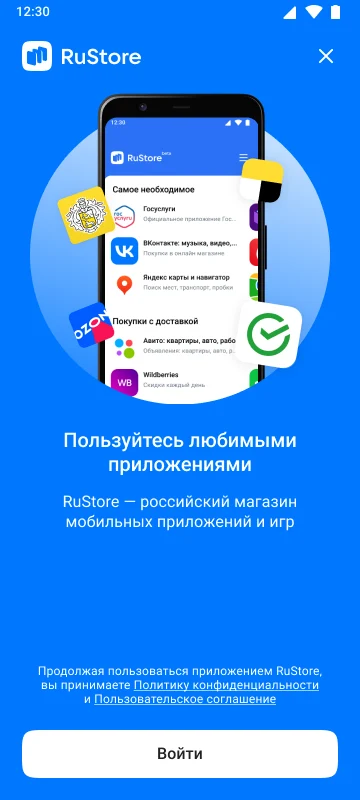
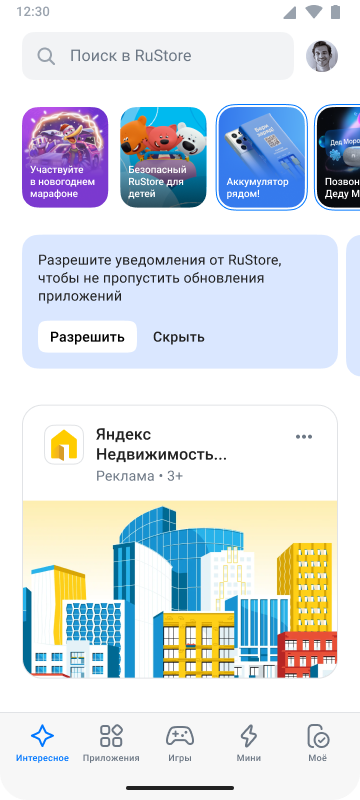
Where can I read news about RuStore?
News about RuStore is published on the official RuStore website and on the official RuStore social media accounts.
What are RuStore's plans for the future?
We plan to keep expanding the app catalog, improving functionality and the interface, and introducing new services for users and developers. Security and convenience remain RuStore's priorities. Follow the updates on our blog.
Help and support in RuStore
If you have questions or run into problems, you can contact our support team at support@rustore.ru.
RuStore contacts
You can find contact details on the official RuStore website, or send a request to RuStore technical support at support@rustore.ru.
RuStore office address:
21, 1st Tverskaya-Yamskaya St., Moscow, 125047
RuStore on social media
Follow RuStore news and updates on the official RuStore website and on social media:
Does RuStore collect users' personal data, and how is that data protected?
RuStore collects the minimum amount of personal data required to operate the store and improve the service. All collected data is stored in encrypted form and used in accordance with personal data protection legislation. We apply modern information security technologies to prevent unauthorized access.
Why do banks trust RuStore with their apps?
Banks and financial organizations choose RuStore because of its high level of security and strict moderation standards. We protect user data and keep apps running reliably.
What does RuStore offer developers?
Apps are managed through a dedicated content management system — RuStore Console. Find out how to register as a developer and set up monetization in the Developer documentation section.
See also: